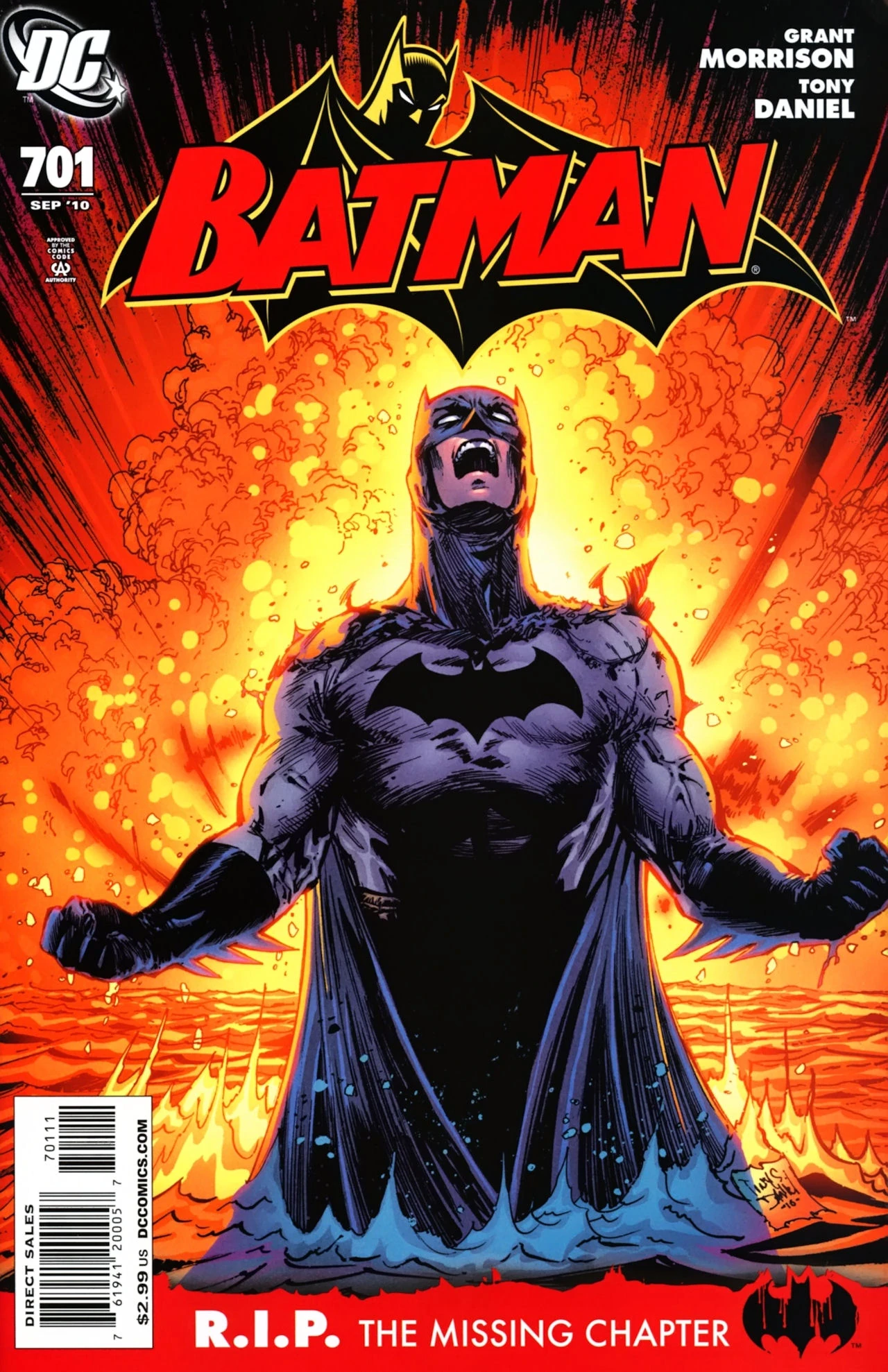

This is a Cover Art image.
Cover Art Images
Cover Art Images are very important to us here on the DC Database for a number of reasons. We use them so that readers can identify an issue they might be looking for, based on its cover. We use them to provide a little decoration on our issue pages. As DC is one of the larger comic publishers in the business, and has been for decades, they have put out a lot of comics, and so we have a lot of comic covers on this wiki.
97,114, to be exact.
So, given that there have been a lot of covers, and there will likely be many more, you will probably be wanting to upload one while you're here, and that's where the Image Template comes in. As described here, the template covers our butts legally and provides useful info about the creators of the image and where the image came from. Unfortunately, it's not as simple as just filling the thing out as you might dream it should be filled out. Because of the awesome and terrible power of Category Magic, you have to be aware of what should be filled out when and how in specific cases.
So, let's look at how to fill it out, field by field, for this specific case: standard cover art images.
The Fields
These are the only fields you ought to use when filling out the template for a Cover Art image:
{{DC Database:Image Template
| License                 = Comic Cover
| ImageType               = Cover Art
| Description             =

| PreviousCover           =
| NextCover               =

| Source                  =

| Subject1                = None

| CoverArtist1            =
| CoverArtist2            =
| CoverArtist3            =

| Notes                   =
| Trivia                  =
}}
As you can see, I've already filled out the License, ImageType, and Subject fields because those should be the same for every cover art image.
Naming Conventions and File Type
Before we get into the template itself, it's worth going over how you ought to be naming your images, because that's pretty important, for consistency's sake.
Cover Art Images should typically be named with the same name as the article for the comic it comes from.
In the example case on this page, that comic is Batman Vol 1 701, so your image should be named Batman Vol 1 701.
As for file type, things get complicated for us when any image isn't a JPEG, which uses the *.jpg file extension. PNG files are great for logo images because of their transparent backgrounds, but because JPEG is the most commonly used file type on the internet, it is also the most conveniently manageable for comic covers (and pretty much everything but logos).
In some cases, we have to replace images that have been uploaded for quality, size, or other reasons and if the file type of the original differs from the replacement, things get... enraging.
So! In the end, for the example, the file name should be Batman Vol 1 701.jpg.
License & ImageType
As explained here the License field is how we cover our butts. Thanks to Category Magic, typing "Comic Cover" in the license field automatically adds it to Fair Use Images.
While an image like the one on this page is obviously a comic cover, there are different types of comic cover. So, in addition to listing the image license as a Comic Cover (under Fair Use, blah blah blah), we have to specify what type of Comic Cover with the ImageType field.
As this is a standard comic cover's art, we use the phrase "Cover Art" to distinguish it from a Textless Cover, or a Variant Cover.
The default "empty syntax" for the template includes "ImageType2" as a field, but for Cover Art, we should not be using it. Leave it blank or delete it, if you feel the need.
Description
Again, as explained here, the Decription field is used for one thing here, and that is using {{FairJust}} to provide the purpose for the image in the context of our wiki, which is demonstrative and educational.
Let's take a look at the text that pops up with {{FairJust}}:
- "Used for purposes of illustration in an educational article about the entity represented by the image. The image is used as a means of visual identification of this article topic. As the subject is protected by trademark or copyright, a free use alternative does not exist."
So, what is the "entity represented by the image" in Cover Art's case? Well, it's the comic itself, isn't it? And it's certainly a good "means of visual identification" of that article and topic, isn't it? As such, we wrap the {{FairJust}} template around the page name of the comic that cover art is from.
And, for convenience, {{F}} redirects to {{FairJust}}, so we can just do this, in the case of the image on this article:
{{f|Batman Vol 1 701}}
Which looks like this:
- Batman Vol 1 701: Used for purposes of illustration in an educational article about the entity represented by the image. The image is used as a means of visual identification of this article topic. As the subject is protected by trademark or copyright, a free use alternative does not exist.
Remember, though, {{FairJust}} isn't like {{C}}. It won't convert the comic's name to that spiffy "Batman #701" that you crave. You have to use a direct link to the article.
Previous / NextCover
These fields will provide links to the previous and next covers in the series, so that if you happen to be browsing through the covers for a particular series, you can do it with a click of your mouse instead of an awkward search through a bunch of very inconsistently named cover images.
To fill these out, all you have to do is type in the name of the previous cover's image, along with its file extension. If everyone has been following the naming conventions as described above, it should be easy—it will just be the name and file extension of the issues that precedes and succeed the one you're working on.
So, for the example on this page, you would fill these fields out like this:
| PreviousCover           = Batman Vol 1 700.jpg
| NextCover               = Batman Vol 1 702.jpg
- Note that if you actually click through on the example we're using, the previous and next covers' filenames are not the ones shown here, because of inconsistent file-naming on older images, which is a pain in the butt, but not the end of the world.
This field is optional, as there is no Category Magic associated with it. However, the fields will show up in the infobox whether you fill them out or not, so unless you want things to look ugly and weird, you jerk, you should probably fill them out. Besides—they help people.
If the image you're uploading happens to be from a One-Shot, you can type "| OneShot = Yes" in place of the prev/next fields, and it will blank out the fields.
Source
The Source field is, of course, to link back to wherever your image came from. And while one might imagine that we want you to link to the website from which you grabbed the image, or something of that nature, what we actually want you to do in the case of Cover Art Images is to link back to the issue it comes from.
So, why not use the Issue field (which was removed from the example blank template above) instead? Well, the reasoning is contentious, but there is rhyme behind that reason. Oh, and Category Magic. See, the Issue field automatically places images in categories associated with that issue, like "Batman Vol 1 701/Images" or "Batman Vol 1/Images". It was decided, (after much discussing) that these categories not include the Cover Art itself, and because the template is a patchwork of very old code with new code tangled up in it, the least complicated method of working around that auto-categorization was to decree that all Cover Art images (and Variants too) use the Source field instead of the Issue field.
Anyway, there's that.
But, what do you put in there? You put the pagename of the comic that the cover art comes from. Fortunately, the Source (and Issue) fields are fitted with the Comic Naming Standardization Template—{{C}}—which means that if you don't type in the article name exactly it may be able to fix it for you.
So, easy-peazy, the source field in this case would look like this:
| Source = Batman Vol 1 701
Woopdedoo, guys! Woopdedoo!
Under no circumstance should you fill out both the Source and Issue fields. For a while that was the standard, and now it isn't. If you see it, fix it.
Universe / Subject
For almost any other image, we would fill out these fields with the universe and subject for the image, as explained here.
In the case of cover art, though, we don't want to be seeing the cover art with its logos and numbers and barcodes cluttering up the character image and universe categories. And, that's exactly what would happen if we filled out these fields with a cover, thanks to Category Magic. In most cases since the early 2000s, we can find a nice, clean textless cover to use for the character images, anyway. But, since Category Magic also places the image in Category:Image Subject Needed if the Subject field isn't filled out, we use "none" to override that, and show that we don't want this image to go into either category. The Universe field can and should be left blank, without consequence.
As mentioned above, for a Cover Art image, you should always fill the Subject1 field with "None".
Credits
For Cover Art images, we use only the "CoverArtist" field. We list all of those who worked on the cover—that's penciler(s), inker(s), and colorist(s)—as CoverArtists. Sometimes (mostly for colorists) that information was not typically given in the interior credits of comic books, but a lot of cover artists sign their work with a signature. Though it is far from complete, we have been trying to compile Signature Images for staff members, so that their work can be easily recognized and credited when the interiors don't credit them, or get it wrong.
In any case, you can add more CoverArtist fields as needed by adding them on a new line. You will not likely need more than five, and rarely more than three.
For the example image on this page, the cover artist is Tony S. Daniel, and the colorist is as yet unidentified (though it may well also be Tony Daniel. So, you would input this:
| CoverArtist1 = Tony S. Daniel
Because Tony Daniel did both the pencils and inks on the image, you need only enter his name once.
The Category Magic that this field uses automatically adds the image to Category:Tony S. Daniel/Cover Artist Images, in this case.
Notes / Trivia
See this page for an explanation of these fields.
The Completed Template
The completed template for the example on this page (with all unused fields removed, for convenience) would then look like this:
{{DC Database:Image Template
| License                 = Comic Cover
| ImageType               = Cover Art
| Description             = {{f|Batman Vol 1 701}}

| PreviousCover           = Batman 700.jpg
| NextCover               = Batman Vol 1 702.jpg

| Source                  = Batman Vol 1 701

| Subject1                = None

| CoverArtist1            = Tony S. Daniel

| Notes                   =
| Trivia                  =
}}
Aside from the potential for additional cover artists, these are the only fields that you require when filling out the Image Template on a Cover Art Image.